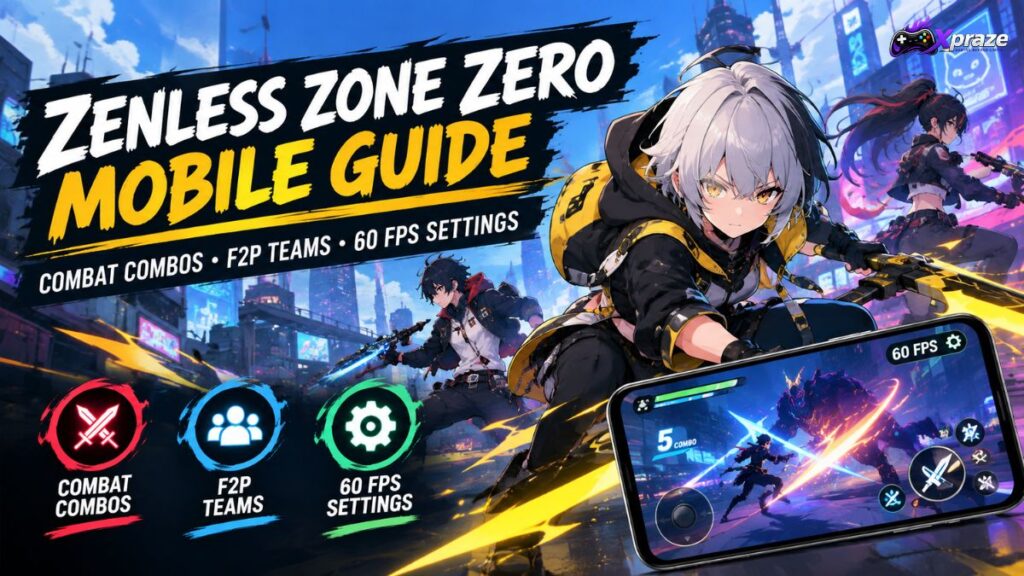
ZZZ is an action RPG that offers fascinating ideas and a unique art style, but has rougher edges than most games, like long load times and noticeable performance issues. Battles are fast and require twitch reflexes to time your Agent’s movements to avoid damage.
You start ZZZ with a small group of Agents that you can choose from for each mission, but as you play more missions, you unlock Agents with unique special attacks and passives.
Mobile players have the extra challenge of performance. Long combat sessions really tax your device and cause heating and battery drain. Maintaining 60 FPS feels really good, but can also drain your device faster. Luckily, the game allows you to set the FPS to 30, and the difference may not be that noticeable depending on your device and preferences.
This Zenless Zone Zero mobile guide will cover combat combos, team passives, and Assists, and how to effectively use them. I will provide tips for surviving endgame content and for playing for free for as long as possible.
A team can have up to three Agents. The strength of the synergy between their specialties is more important than the raw damage each Agent does.
Attack Agents are your main damage dealers. Support Agents empower other Agents with bonuses. Defense Agents fortify your team and provide additional utility. Anomaly Agents, on the other hand, focus on applying Attribute Anomalies and dealing damage through their effects.
As a beginner, it is better to have a Damage Dealer + Stun + Support Agent setup, as it provides a simpler combat system.
Your Stun Agent builds enemy Daze, your Damage Dealer does the majority of the damage to the enemy, and your Support Agent provides utility and bonuses to your team.
Beware, there are lots of ways to build Daze.
The main one you’ll encounter as a beginner is through attacking enemies, while certain attacks and abilities can also contribute to building the Daze meter.
The major advantage of Daze is that enemies that become Stunned are vulnerable to powerful attacks, especially when you take advantage of the Stun window.
Dodging, Stuns and Combos
Enemies normally begin combat in a regular state, while their Daze meter builds as you attack them. Once the Daze meter reaches its threshold, the enemy becomes Stunned. In this state, enemies are vulnerable to stronger attacks and combos.
The best way to Stun enemies is to use a Stun Agent to build up Daze and then take advantage of the Stun window with your Damage Dealer. You then have a good opening to use a Support Agent to provide additional buffs to the team.
Many beginning players try to inflict as much damage as they can as quickly as they can. A good team, however, builds Daze during the first phase of an encounter. The Stunned enemy provides an excellent opportunity for a damage-dealing Agent to attack.
There are three general stages to many combat encounters. The first stage is to build Daze, the second stage is to Stun the enemy, and the third and final stage is to deal as much damage as you can. This structure works for many combat encounters.
If you’re having trouble with a Boss fight, it’s likely that you’re relying too heavily on your strongest character and not using your Stun character enough.
The best basic combat combo for beginners is:
Stun -> Set Up -> Burst -> Recover.
This basic combo is also a very good rotation for beginners and can work very well for those just starting the game.
Your Stun Agent should be the first member of your party to attack and build Daze. You do not need to immediately burn your resources.
As the Daze meter approaches full, switch to your primary Damage Dealing Agent and use the strongest attacks available to you. If your Support Agent has a synergistic ability that helps boost your damage or provides an added effect, use that ability as well.
The basic rotation looks like this:
Stun Agent -> Build Daze -> Stun -> Support Setup -> Main DPS -> Burst Damage.
The rotation and combat structure give beginners the foundation they need to combat more difficult encounters.
You also want to use your Dodge Counters as much as possible, especially if you’re using a melee Agent.
Knowing enemy attack patterns will let you time dodges to better set up counterattacks.
Once you understand patterns, positioning becomes less important.
Enemy attacks are telegraphed through their animations and visual indicators. Using these telegraphs to time dodges is better than simply anticipating attacks.
This is especially useful for becoming more fluid in combat.
The more comfortable you become with dodging against bosses, the more fluid the combat becomes and the less chance you have of getting hit.
Continuously using Character Swaps will disrupt your rotations and can make your combat less fluid.
There should be a reason for every swap. Having a real reason for switching will ultimately help your combat rotations.
Try to think about your reason for switching instead of simply assuming you should switch. This will make your combat more effective.
There is a combat mechanic called Chain Attack. Triggering the right conditions will allow you to continue an attack sequence by swapping between your Agents. When attempting to use a Chain Attack, don’t think of it as a game of chance where you must hope the right button gets pressed.
What character do you think will benefit the most in this situation?
If the enemy is almost defeated, then you would want to focus on dealing as much damage as you can. If you are preparing for a longer fight, then you may want to use the chain to set up for the next part of your rotation.
With enough practice, you should be able to integrate Chain Attacks into your general fight strategy.
Zenless Zone Zero Mobile Guide: For a Free-to-Play Player
You don’t need to spend money to get limited S-Rank Agents in order to have a functional team. You can get a wide variety of Agents by playing the game, and a lot of A-Rank Agents can stay useful depending on your team requirements.
As a Free-to-Play Player, your main goal should be to get Agent synergy.
A common mistake a lot of beginner players make is thinking that they should make a team of the three highest individual damage Agents. The player should instead try to make a balanced team.
A good example of a solid Free-to-Play Team Structure is:
One Main DPS, One Stun, and One Support.
This is a simple and easy team structure to manage because you don’t have a lot of characters fighting to stay on the field.
An example of a good classic Free-to-Play team would be:
Billy, Anby, and Nicole.
Billy can be your main Damage Dealer, Anby can cover the Stun utility, and Nicole can provide Support. This is a solid team for learning the fundamentals of the combat system because each member of the team has an easily understood individual role.
Anby is your main option for building Daze in this team. Use Nicole when her Support utility is relevant. Lastly, bring Billy onto the field when you have an opportunity to deal damage.
Also, you don’t have to keep this team forever. Over time, you’ll gain access to more Agents. From that point, you’re able to make adjustments to your team to better reflect your preferred play style.
Ultimately, it’s more important to develop a general understanding of role structure as opposed to just mindlessly following a team setup.
Another Important F2P Option: Utilize the Agents You Currently Own
One of the biggest mistakes made by F2P players is focusing on building the “perfect” team as opposed to improving the team that they actually own.
Instead of focusing on what you don’t have, look at your current team.
Who is your best Damage Dealer?
Who is the best at building Daze?
Who can provide Support?
By answering these questions, you can begin to refine your current team.
For the best results, it’s best to focus on Agents that have synergies based on Factions and Attributes.
Make sure to plan a lineup that can activate the important passive of a character requiring a specific team condition before using that character.
This becomes necessary to consider as your roster size increases.
Don’t Ignore Support Characters
Some new players think of Support Agents as simple Damage Dealers.
This is not the right mindset to have.
Support Characters are strong team utility members and can effectively increase the overall team performance.
A well-built Support character can open several opportunities for Damage Dealers to perform much better and help the team win battles without requiring the player to obtain another Damage Dealer.
Best Rotation for Harder Enemies
For tougher enemies, don’t immediately use everything you have on them.
First, try to learn the enemy’s attack pattern.
Your Stun Agent is really good for building Daze while taking as little damage as possible. Use Dodge Counters if possible and keep control of the battlefield so you don’t get trapped.
When the enemy is Stunned, set up your Support Agent and bring in your main Damage Dealer.
This is the time to use your strongest abilities.
One important point to remember is:
Don’t use your strongest abilities or bursts outside the enemy’s vulnerability window unless it is necessary.
How to Play Zenless Zone Zero at 60 FPS
Zenless Zone Zero is an intense 3D action game, so running it at 60 FPS can make combat feel noticeably smoother. With 60 FPS, movement and combat animations become smoother, and some players may find dodging easier.
Not having 60 FPS on does not mean you can turn every setting to the max.
Zenless Zone Zero is a demanding game on mobile and can put a heavy load on your device, so frame-rate consistency depends on your phone’s chipset, cooling, software optimization, and other factors.
For a lot of phones, a balanced setting is better than simply going with the highest preset.
The game keeps getting improved and updated, so settings and performance can change between versions. Official updates have also included large mobile downloads, showing how substantial the game’s client can become.
Suggested 60 FPS Settings
Depending on how powerful your phone is, you can try:
Frame Rate: 60 FPS
Graphics Quality: Medium or Custom
Rendering: Medium or Recommended
Anti-Aliasing: Medium
Shadows: Medium or Low
Effects: Medium
Character Quality: If performance is alright, keep at High
Environment Quality: Medium
Motion Blur: Off if you don’t want a blurred image
Different devices may have different settings available and named differently, so don’t worry about minor differences in your settings menu.
The most important setting is obviously the frame rate.
If your phone can’t keep up and run it stably at 60 FPS, a lower frame rate is better than constantly jumping between 40 and 60 FPS.
Should You Use 60 FPS on Every Phone?
No.
Just because your phone can run 60 FPS doesn’t mean it will maintain 60 FPS in every situation. Long combat sessions can stress your phone and cause it to run at a lower frame rate.
A game can feel less smooth when the frame rate constantly fluctuates, even when the settings menu is configured for 60 FPS.
You should look at the stability of the game and how it’s running, not just the number.
There are many situations where a stable lower frame rate can be more enjoyable than a game that targets 60 FPS but constantly drops during longer fights.
If you find your game continuously crashing, causing major frame drops, or causing your device to overheat, lower the graphics settings.
For a game to be enjoyable, it needs to run well and be stable. A phone will generally have an easier time maintaining a stable lower frame rate than constantly trying to reach 60 FPS and then dropping because of heat.
60 FPS vs Higher Graphics
I find it’s generally more important to have smooth combat and controls in an action RPG than it is to run everything at the maximum visual settings in Zenless Zone Zero.
Running the visual settings at a higher level can cause performance problems and make the game less enjoyable on weaker devices.
While high graphics can improve the visual appeal of game screenshots, stable performance is more important during actual combat.
If your device can comfortably run high graphics and 60 FPS without excessive heating or major frame drops, then you are free to increase your visual settings.
It is recommended that you increase graphics settings gradually, as this allows you to easily determine which setting could be causing performance issues.
Common F2P Mistakes to Avoid
A commonly made mistake is investing in every single character.
You should avoid doing this.
Select a small group of characters and invest in them first.
You should not discount Stun and Support characters.
Doing so can leave a glaring hole in your team composition.
A strong Damage Dealer can only do so much if your team doesn’t set them up for success.
Many players make the mistake of leveling up too many characters.
This can result in a lack of strong characters.
Instead of investing in a large number of characters, focus on a select few.
Don’t Chase Every New Character
New Agents are constantly being added to Zenless Zone Zero. The official site lists Agents across various roles and Attributes.
As a F2P player, you must manage your resources judiciously.
Pulling for a new Agent shouldn’t be done unless that character fills in a missing piece of one of your teams.
You should hold off on developing a character if your team is already strong in that area and you don’t have a good team for a different area. This makes a Free-to-Play account more efficient.
Upgrade your team, not just your favorite character. Your strongest character is only as effective as the team supporting them.
Develop important skills and equipment first. Prioritize the characters that are in your main combat rotation.
If a Support character only comes onto the field for a short time, you don’t necessarily need to build them to the same level as your main DPS.
Think about how much time an Agent spends on the field and what their job is. This is more efficient.
Adjust Your Mobile Controls
Zenless Zone Zero’s mobile controls take some time to adjust to, but with time they can feel very comfortable.
Once you’ve adjusted to the controls and got a feel for them, you can start changing the button placements to better suit you.
Dodging and Character Swapping are two important skills in this game.
One bad button press can ruin everything, so be sure to set up your controls in a way that makes it easy to reach your dodge and other important buttons.
If you’re having trouble with a boss, don’t immediately assume that your team is the problem. Practice the mechanics of combat to get better.
Start with dodging.
Now, learn to build Daze more efficiently.
Lastly, work on saving your bursts for enemy vulnerability windows.
It may feel like you’re attempting to juggle a lot of things in combat.
This feeling should disappear as you learn the mechanics of combat.
Final Thoughts
As mentioned before, combat in Zenless Zone Zero may look complicated, but the mechanics are fairly simple.
Understand each Agent’s role, build Daze, use Support skills at the right time, and save your best attacks for enemy vulnerability windows.
Don’t fret about not having every limited S-Rank Agent as a F2P player. A well-built team can carry you far.
If you are playing on mobile, stability is better than graphics.
Timing, rotations, and team synergy are rewarded in this game. Once timing and rotations become second nature to you, even the more difficult encounters become easier to manage.
Frequently Asked Questions
Is Zenless Zone Zero good on mobile?
Yes, Zenless Zone Zero can be very enjoyable on mobile, especially if your phone can maintain stable performance. The fast combat also feels smoother at a consistent frame rate.
Can I play Zenless Zone Zero without spending money?
Yes. You can play Zenless Zone Zero as a Free-to-Play player without spending money. Building a balanced team and managing your resources carefully is more important than having every limited Agent.
What is the best team setup for beginners?
A simple Damage Dealer + Stun + Support setup works well for beginners. It gives each Agent a clear role and makes the combat rotation easier to understand.
Is 60 FPS worth using in Zenless Zone Zero?
If your phone can maintain 60 FPS without major frame drops or overheating, it can make combat feel smoother. If your device struggles, a stable lower frame rate is usually the better choice.
How do I get better at Zenless Zone Zero combat?
Start by learning how to dodge, build Daze, and use your Support skills at the right time. Once you understand enemy attack patterns and your team’s rotation, harder fights become much easier.
Xpraze is dedicated to helping Android gamers discover the best games, tips, and guides. We publish gaming reviews, guides, news, lists, and comparisons to help players find useful and up-to-date information quickly.